Windows

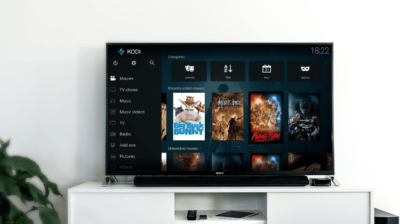
It’s a fact that in recent years, home entertainment has improved dramatically with the rise of TV boxes. Kodi, the free and open-source home theater application, played a significant role in the popularization of streaming media due to its extensive customizability and user-friendly environment. In this article, we present the
Sometimes we need to type a text that deals with mathematics, physics, or other fields which involve using various symbols. In these cases, we may have to use a special character, like the degree symbol for temperature, that isn't directly available on our keyboard layout. In this guide, we see
After numerous problems and delays, Microsoft finally released the so-called "October 2018 update" on November 13th. The new Windows 10 Update offers various improvements, features, and tools over the previous version of Windows 10. At the same time, the company has updated their Windows 10 support policy, based on the
On November 11th, 2018, Microsoft released the latest version of Windows 10, named "October 2018 Update." This upgrade will gradually roll-out for all Windows 10 users through Windows Update. However, if we don't want to wait, here is how to immediately upgrade to the October 2018 Update on any computer,
The internet offers an abundance of applications to meet our needs. Yet, not all programs are created equal. Some apps require excessive system resources, that might slow down an older or weaker PC to a crawl. In this guide, we have measured the RAM and CPU usage of some of

If you are a Windows user, you already know how convenient it is to use the desktop for file saving and to access your programs. But there is one big downside: it can get loaded with icons and folders pretty quickly. And, in such a mess, it is always hard

Windows maintenance is essential if we want to ensure our computer runs smoothly and without issues. Even though it becomes easier with every new version, it's important not to neglect it. However, there are certain actions that we should avoid as they can cause more harm than good. In our
No matter how insignificant it may seem, a faulty Windows time could lead to a multitude of issues that include but are not limited to interrupting our scheduled tasks, leading to strange Windows errors or even obstructing our connectivity. In this guide, we will find out how we can troubleshoot
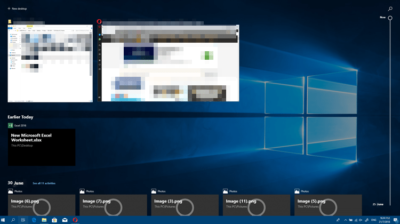
With the April 2018 Windows 10 update, Microsoft gave us the highly anticipated Timeline. In as few words as humanly possible, it's a simple tool that has a lot of potential. In this guide will thoroughly describe what exactly the Windows 10 Timeline is, how to use it and everything
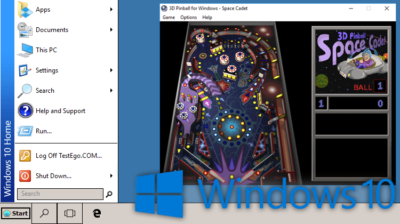
Windows keeps evolving and changing, and this progress eventually "kills" favorite features of ours. For example, the classic Windows theme was "murdered" in the name of a more "attractive" UI. Not to mention the Windows games we used to thoroughly enjoy in the past are now dead and gone. Or